
When your Apple Watch has started behaving weirdly, or it does not perform as fast as previously, or maybe you are just selling your watch, it is most important to know how to reset Apple Watch in order to fix the majority of problems. A reset will provide your machine with clean start, empty the performance issues, or personal information and hand it over to another person.
The guide will guide you on each of these techniques such as how to factory reset Apple Watch, how to hard reset Apple Watch, and what to do when you forgot your passcode. At the end, you will understand which technique to apply in this or that case and how to put your watch back together safely after that.
Table of Contents
Difference Between Hard Reset and Factory Reset
The first thing to understand before you start is that there are actually two different types of resets on an Apple Watch, namely a hard reset and factory setup, and these two resets are entirely different.
What Is a Hard Reset?
A force restart (sometimes referred to as a hard restart) is performed when your Apple Watch is unresponsive or frozen. This kind of a reset does not remove any of your data. It merely reboots the system of the device to make it operational again.
What Is a Factory Reset?
The factory reset however, permanently removes all the content, apps and settings in your Apple Watch. Once you have done this reset, your watch will be in the same state as it was the first time you opened it out of the box. It is the appropriate decision when you are selling your watch, delivering it as a gift, or trying to figure out your software that is not functioning properly.
Knowing what reset is required will save you the hassle of losing data or getting into trouble.
How To Prepare Your Apple Watch Before a Reset
Backup Your Data
Make sure that before you do any form of reset, you have a copy of your data. Backups of Apple Watch are automatically generated and stored in your paired iPhone. Your iPhone will include the most recent Apple Watch data when it backs up to iCloud or iTunes.
This implies that your app layout, health data, and setting are stored and can be reinstated at a later stage. Nonetheless, certain sensitive files like Apple Pay payment cards and Bluetooth connections will not be stored within the backup and will be required to be added back in manually after the reset.
Remove Activation Lock
When you want to sell or give away your Apple Watch, it is necessary to remove Activation Lock. Activation Lock is a security measure connected to your Apple ID that makes it impossible to use your watch by anyone but you in case it is lost or stolen.
The simplest method of deactivation is to unpair your Apple Watch with your iPhone, which also does a factory reset.
How to Reset Apple Watch Using iPhone
The most efficient and trustworthy method of resetting your Apple Watch one is via your paired iPhone. This should guarantee that your data is saved and Activation Lock is disabled.
Step-by-Step GuideTo Reset Apple Watch
One, stay near your iPhone and Apple Watch so that you are connected through a Bluetooth.
Next, open the Watch app on your iPhone and tap All Watches in the upper left corner of the screen. You will find a list of all the connected watches. Select the info (i) button that appears beside the one you want to reset. Select Unpair Apple Watch. When you have a cellular model, the iPhone will allow you to keep or delete your cellular plan. In case you are intending to pair it once more, keep the plan or otherwise remove.
Lastly, type in your Apple ID password when asked to turn off Activation Lock. After this, your watch will be unpaired, wiped out and returned to the initial factory settings of the Apple Watch.Your Apple Watch will be unpaired, erased, and restored to its original factory settings.
How to Reset Apple Watch Without iPhone
There are occasions when you might not access your iPhone. Then you can restart the Apple Watch, which is done on the device.
Step-by-Step GuideTo Reset Apple Watch Without Iphone
Begin by opening the Settings app on your Apple Watch. Go to General > Reset and press Erase All Content and Settings. Confirm by entering your passcode.
In GPS + Cellular models, you will be asked to retain or cancel your plan. Select an alternative that best suits you. When this is verified, your Apple Watch will then wipe all its data and restart to the set up screen, and then again it will be ready to be re-paired.
Remember, though, that Activation Lock does not get cleared by simply resetting the watch. You will still be required to enter Apple ID to pair it back.
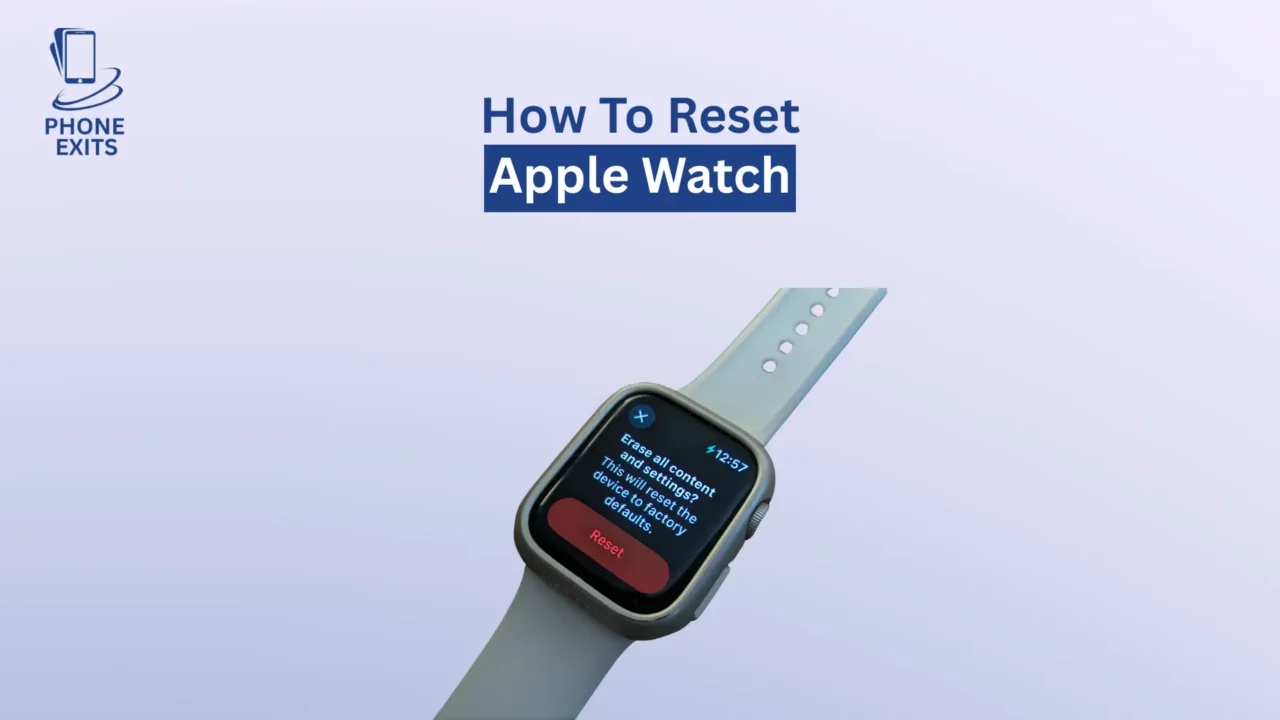
How to Reset Apple Watch If You Forgot the Passcode
In case you have lost your Apple Watch passcode and cannot access the settings, you may still use a simple hardware trick to reset the passcode.
Reset Apple Watch Using the Charger and Buttons
Install your Apple Watch on the charger and leave it attached. Press and hold the press button until you see power screen appear. Next, hold and press the Digital Crown until the Erase all content and settings option comes to the screen. Tap Reset and verify your selection.
Your Apple Watch will now wipe all the data it has and reboot again. Then again, you can reconnect it with your iPhone and reload your backup.
How to Hard Reset Apple Watch
A force restart or a hard restart is a helpful function when your watch is somehow freezing or becomes not responsive at all. It does not wipe off your applications or data and just restarts the device.
There is also a hard reset, which is achieved by pressing and holding the Digital Crown and the Side Button at the same time over a span of approximately ten seconds. In case you find the Apple logo on the screen, release both buttons. Its watch will reboot and will start operating normally.
Troubleshooting Common Reset Problems
Activation Lock Still Appears After Reset
When your Apple Watch is still displaying the Activation Lock screen after a factory reset, then the Activation Lock remains active under your Apple ID. To take it off, go to iCloud.com, sign in using your Apple ID, and go to Find My iPhone. On the all devices page, tap your Apple Watch and tapRemove from Account.
Watch Won’t Reset or Respond
In case your Apple Watch is unresponsive to touch or button press, make sure that it has been charged at least fifteen minutes. Next, attempt to restart with a hard reset. In case the problem persists, call Apple Support or one of the Apple Stores to seek professional help.
Issues with Cellular Plan
When you reset your cellular models, it is important to take good care of your plan. In case you intend to continue using the same watch, choose Keep Plan when resetting. When selling or giving it away, take the plan away and call your carrier to disconnect it to your account.
How to Restore Apple Watch After Reset
It is easy to recover your data and settings via your iPhone once your watch has been reset.
Open the Watch app on your iPhone and tap Start Pairing. When asked, select Restore in Backup and then pick the latest backup. Once it has been restored, your app layout, settings, and health data will be restored to normal.
It is important to note that you will have to manually add Apple Pay cards and reconnect any Bluetooth devices.
Conclusion
Learning how to reset an Apple Watch can help you save time and frustration when your gadget fails to perform the intended tasks.
The best way to unpair the watch, which is also the most recommended in the majority of users, is to unpair it with the iPhone, as it ensures your data is backed up, and Activation Lock is removed securely. In case you forgot your passcode or you do not have your iPhone, you can still perform a factory reset directly on the watch or via the charger procedure. And in case your Apple Watch simply freezes, all it may require is a hard reset.
A proper reset of your Apple watch ensures that you have a smooth experience when troubleshooting, upgrading, or selling your watch.
FAQs About How to Reset Apple Watch?
Will resetting delete everything on my Apple Watch?
Yes, a factory reset will wipe out all content and settings and restore your device to its initial condition.
Does a factory reset remove Activation Lock?
Unless you unpair the watch with your iPhone. Activation Lock is not switched off by simply resetting the watch.
What is a hard reset?
One method of a reboot is a hard reset or a force restart, when the watch freezes. It doesn’t delete any data.
Can I reset Apple Watch without Apple ID?
The watch can be erased, but to reconfigure it, again you will require the Apple ID and password you used on the device. This can avoid unauthorized use.