
Losing or getting an iPhone stolen is one of the stressful experiences. An iPhone today is much more than a phone: it holds personal photos, personal chats, banking apps, emails, and even work account access. The first thought when a device is lost is typically about the safety of the data, and then there is a hope that the phone will be found.
Luckily, Apple provides effective in-built features that enable you to track a stolen iPhone, lock it, and secure your personal data remotely. By being quick and doing the right things, you increase your chances of recovery vastly. This guide provides how to track a stolen iPhone step by step, what to do as soon as it is stolen and how to keep safe even when it is not possible to retrieve it.
Table of Contents
Why Tracking a Stolen iPhone Is So Important
Finding a stolen iPhone is not only the matter of recovering your phone. It concerns safeguarding your identity, financial information, and online privacy. Stolen phone may provide an individual with access to saved passwords, social media accounts, payment applications, and personal files.
Apple created the tracking system to enable users to find lost or stolen devices as well as deter theft. Services such as location service, Lost Mode, and Activation lock are combined to render stolen iPhones useless or hard to sell. Knowing the functionality of these features could save you the long-run harm.
What You Need Before You Can Track a Stolen iPhone
Some settings should be turned on already in your device before tracking can be done. These environments are not realized yet crucial.
Find My iPhone Must Be Enabled
Find My iPhone is the official tracking service of Apple. When you had it switched on when your phone got lost, it can be traced with the help of an Apple device or a web browser. Apple cannot display the position of your iPhone without Find My activated.
Location Services and Send Last Location
Location Services enable your iPhone to tell its location. Send Last Location feature automatically transmits the last known location of your device to Apple when battery is critically low. This can be of great benefit when the phone is stolen and it is switched off after a short period.
Provided that these settings were turned on in advance, you are in a far better place to trace your lost iPhone. Find My: How to Track a Lost or Stolen iPhone.
How to Track a Stolen iPhone Using Find My
Track a Stolen iPhone Using Another Apple Device
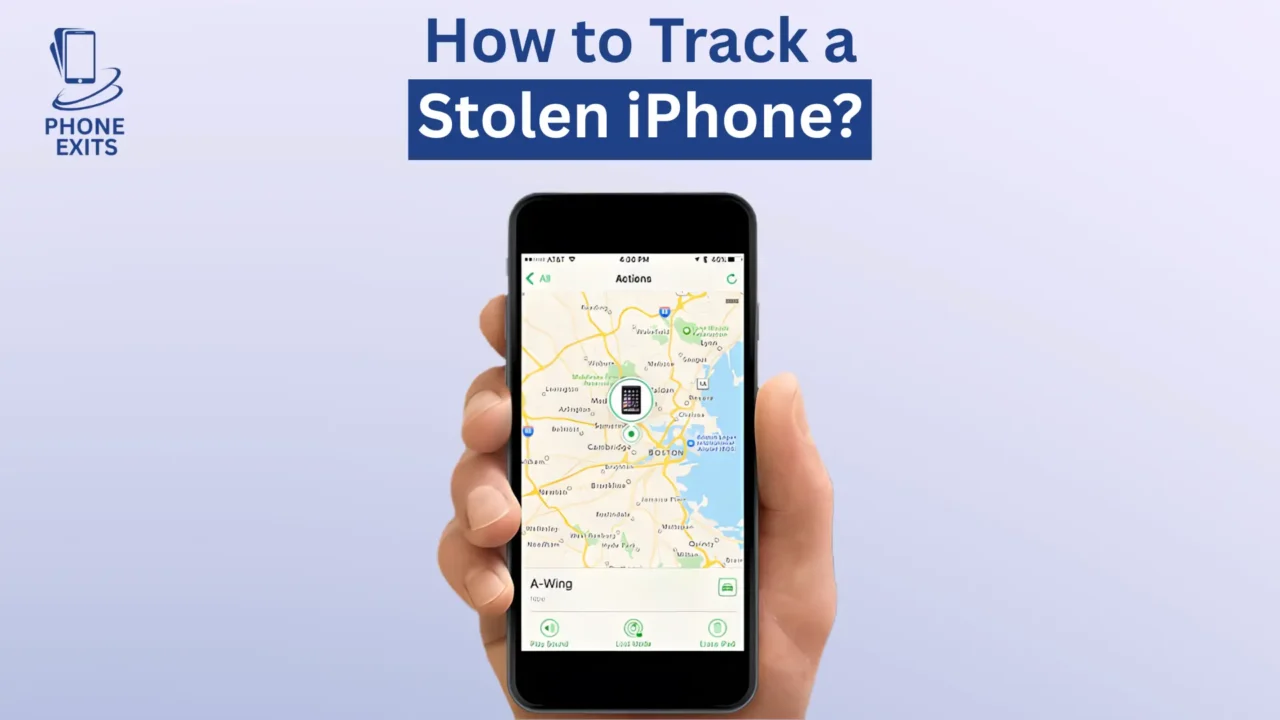
This is the easiest and most successful way if you have a second iPhone, another iPad, or another Mac. Launch the Find My application and log in with the same Apple ID that was used on the stolen iPhone. After logging in, visit the Devices section and choose your lost phone.
When the iPhone is connected to the Internet, then you will see the current location on the map. When it is offline, the app will indicate the last known location. Even without connecting to Wi-Fi, Apple Find My network can still update the location of the phone provided the phone is online later.
This is a non-obtrusive technique that operates silently in the background without drawing the attention of the thief, which is ideal when tracking is needed continuously.
Track a Stolen iPhone Using iCloud.com
Even without a second Apple gadget, you can still use any computer or smartphone browser to monitor your iPhone. Go to iCloud.com/find and enter in your Apple ID.
Upon logging in, choose your stolen iPhone out of the list of devices. You will see its position in a map with the possibility to play some sound, or turn on Lost Mode, or delete the device.
This technique is particularly useful when you are traveling or when you have to do something soon using a shared computer.
What to Do After You Locate Your Stolen iPhone
Locating your lost iPhone is not an invitation to go out and reclaim it. The safety of the person must always be put first.
Enable Lost Mode Immediately
One of the most significant tools when a stolen iPhone is involved is Lost Mode. After activation, it secures your device using a passcode and shows a custom message across the screen. You are able to include a phone number or message which requests the person who has found you to contact you.
Lost Mode also keeps tracking the location of your iPhone. In case the device moves around, you will be sent updated location information. This renders the Lost Mode particularly helpful in cases of theft where the phone is in motion.
Use Play Sound If the Phone Is Nearby
When the place indicates that your iPhone is close, e.g. at home, in your office or any place you have been recently, you can use the Play Sound feature. This causes the phone to play loudly even when it is on silent.
This alternative is best suited to lost phones and not stolen phones. When there is a possibility of theft, it is best to use Lost Mode and the police rather than face-to-face confrontation.
Remotely Erase Your iPhone as a Last Resort
Remotely erasing your iPhone is the safest choice in case recovery does not appear to happen and you are worried about your data. This erases all personal content such as messages, photos, saved passwords and payment details.
After erasing, the phone is no longer trackable. Nevertheless, in this case, Activation Lock is still on, so you cannot reconfigure the device without Apple ID. This keeps your information secure and deters resale.
What If Find My iPhone Was Not Enabled?
When Find My iPhone was not turned on prior to the theft, it is significantly harder to track down, but you must act right now.
Begin by updating your Apple ID password to curb unauthorized access to iCloud, iMessage and FaceTime. The next step is to change passwords on significant accounts including email, banking applications, and social media.
Another thing you need to do is to call your phone carrier and request them to suspend the phone and block the SIM card. This blocks the making of calls, mobile data use, or verification codes by the thief.
These steps can assist in minimizing harm and securing your identity even when Find My is not turned on.
Can You Track a Stolen iPhone Without Find My?
The process of tracking a stolen iPhone without Find My is very minimal. In extreme instances, the last known location might be viewable via Google Timeline should a Google account have been signed in with location history turned on.
Some third-party tracking apps can only give partial information, but only when installed and configured prior to the theft. These solutions are not nearly as dependable as the in-house tracking solutions at Apple.
That is why it is so important to have Find My iPhone turned on ahead of time.
Reporting a Stolen iPhone to Police and Carrier
It is also important to report the theft, which many users postpone or neglect.
File a Police Report
You will need to give your IMEI or serial number of your iPhone when you report. This data assists officials in locating the equipment in the event of recovery. There are also areas where insurance claims need police reports.
Contact Your Mobile Carrier
Your carrier may deactivate your SIM card, block network access, and even blacklist your phone. This will save you the unauthorized charges and minimize the value of the stolen phone.
How Activation Lock Protects Your Stolen iPhone
When Find My iPhone is enabled, Activation Lock is also enabled. Even when one wipes the device of a person, he/she will not be able to re-activate it without the Apple ID and passwords.
This is one of the most effective anti-theft features on any smart phone. It makes sure that your stolen iPhone will not help anyone, but you, which eliminates the motivation to steal significantly.
How to Prevent iPhone Theft in the Future
It is better to prevent than cure. Securing your phone will help avoid theft and is easier to recover in case of theft. Usually, a strong passcode should be used with Face ID or Touch ID. Turn on Keep Find My iPhone, Location Services and Send Last Location.
Do not use your phone in an open place or in a place you are not familiar with. Newer versions of iOS also have Stolen Device Protection which will give an extra level of security when your iPhone is not in a trusted location.
Final Thoughts
Learning how to track a stolen iPhone can make a significant difference under an anxious circumstance. Find My system by Apple provides users with potent features to find their device, secure personal data, and avoid unauthorized use.
When your iPhone gets stolen, take action. Trace it with the help of Find My, turn on the Lost Mode, protect your Apple ID, and report the theft. Although recovery is not achievable, these measures will be sure that your data will be protected and your digital identity will be secured.
Installing your iPhone correctly now might help you avoid some major problems tomorrow.
Faqs About How can I track a stolen iPhone?
How can I track a stolen iPhone?
Apple Find My enables you to locate a lost or stolen iPhone. Access the Find My application in another Apple device or log in to iCloud.com/find, use your Apple ID, and choose your iPhone. When the phone is connected to the internet, you will see where it is located. Even when it is offline, you will be able to see its last known whereabouts.
Can I track my stolen iPhone if it is turned off?
When your iPhone is switched off or dead, you will not see its live position. But with Send Last Location on, Apple will display the final location that was registered by the device before it was turned off. When the phone is again turned on, the location will update.
Is it possible to track a stolen iPhone without Find My iPhone?
It is extremely limited in tracking a stolen iPhone without Find My iPhone. Without this option, Apple will not permit any location tracking. In other instances Google timeline can indicate a last known position when Google Location history was in use, though not all the time.
What should I do immediately after my iPhone is stolen?
Once your iPhone is stolen, you need to sign in to Find My and place the device in Lost Mode. Then replace your Apple ID password, call your mobile provider to block your SIM card, and report theft to the police.
Can someone use my iPhone if it is stolen?
With Find My iPhone and Activation Lock turned on, the stolen iPhone will not allow setting up or using without your Apple ID and password. This will render the device virtually useless to thieves and your personal data will be safeguarded.